Malware 101: Spread, Motives, and Mitigation Techniques
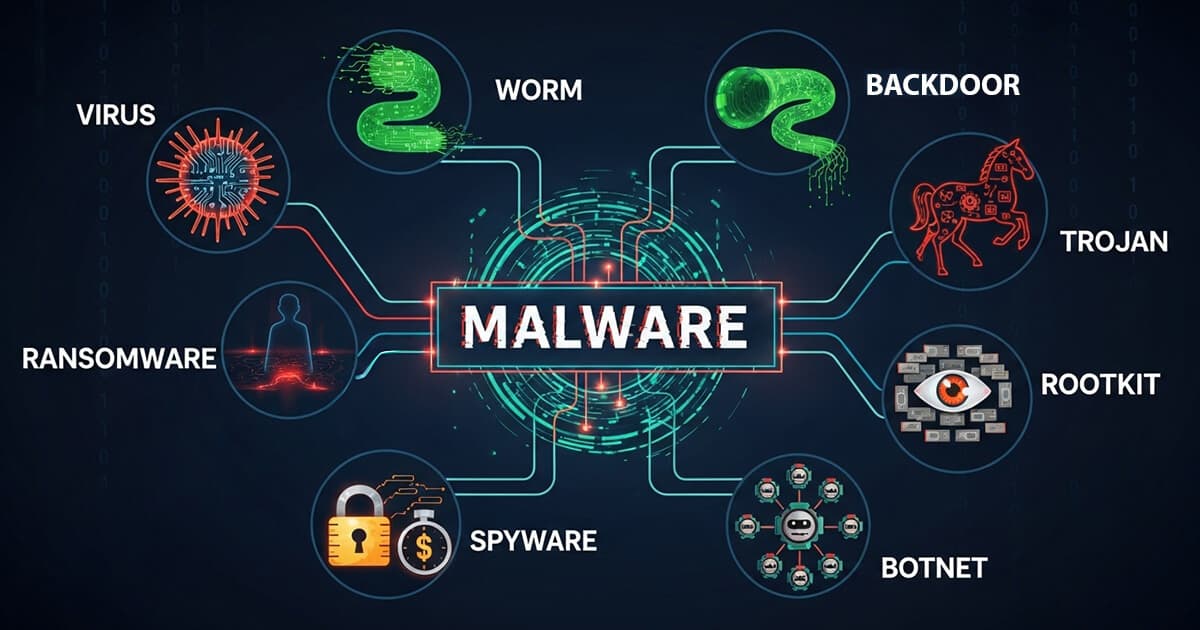
Every click, download, or email can open a path for something unwanted to enter your system. Behind the scenes, a constant digital battle is taking place, with countless threats trying to breach devices and networks. The most common of these threats is known as malware.
Malware, short for malicious software, refers to any program or code designed to damage, exploit, or gain unauthorized access to a computer system. It comes in many forms, each with different goals and behaviors.
In this guide, we will walk through the main types of malware, how they spread, what they aim to achieve, and the key steps you can take to stay protected.
Table of Contents
- The "Big Three": How Malware Spreads
- What's the Motive? Malware Categorized by Goal
- The Next Generation: Advanced & Evasive Malware
- Quick Reference: The Malware Classification Matrix
- How to Protect Yourself: Building Your Digital Defenses
- Detection & Response: What to Do If You're Infected
- Conclusion: Knowledge is Your Best Defense
The "Big Three": How Malware Spreads
The first way to classify malware is by how it moves and infects new systems. This is where we meet the three most foundational types.
1. Viruses: The Hitchhikers
A virus is a piece of malicious code that attaches itself to a legitimate file or program. It cannot exist on its own and requires a "host" to survive and spread.
- Key Trait: Needs a host file to spread.
- Spread Method: Spreads when a user shares or runs the infected host file (e.g., an infected
.exeor a Word document with a macro virus). - Analogy: A biological virus that needs a living cell to replicate.
2. Worms: The Self-Spreaders
Unlike a virus, a worm is a standalone piece of malware that can replicate and spread independently across networks. It actively seeks out vulnerable systems to infect without any user interaction.
- Key Trait: Spreads automatically across networks.
- Spread Method: Exploits system vulnerabilities, email systems, or removable media like USB drives.
- Analogy: A parasite that can travel between hosts on its own.
- Real-World Impact: The WannaCry worm infected over 200,000 computers across 150 countries in just four days in 2017.
3. Trojans: The Deceivers
A Trojan Horse is malware disguised as something desirable or legitimate, like a free game, a useful utility, or an important software update. It tricks the user into willingly installing it.
- Key Trait: Deceives the user into running it; does not self-replicate.
- Spread Method: Social engineering, fake software downloads, and email attachments.
- Analogy: The wooden horse from Greek mythology, which hid soldiers inside to infiltrate the city of Troy.
- Common Types: Remote Access Trojans (RATs), Banking Trojans, and Dropper Trojans that deliver other malware.
Common Infection Vectors
While viruses, worms, and trojans describe how malware behaves, they arrive through several common pathways:
- Phishing Emails: The most common vector, tricking users into clicking malicious links or opening infected attachments.
- Drive-by Downloads: Visiting a compromised website can automatically and silently trigger a malware download without you clicking on anything.
- Malicious Ads (Malvertising): Attackers can inject malicious code into legitimate online advertising networks.
- Software Vulnerabilities: Exploiting flaws in your operating system, browser, or other applications.
- USB/Removable Media: A classic method where infected drives spread malware from one machine to another.
- Supply Chain Attacks: Compromising a legitimate software vendor to distribute malware within official updates.
What's the Motive? Malware Categorized by Goal
Once malware gains access to a system, what does it do? Here, we classify malware by its primary objective.
The Extortionists: Ransomware & Scareware
This malware's goal is to force you to pay.
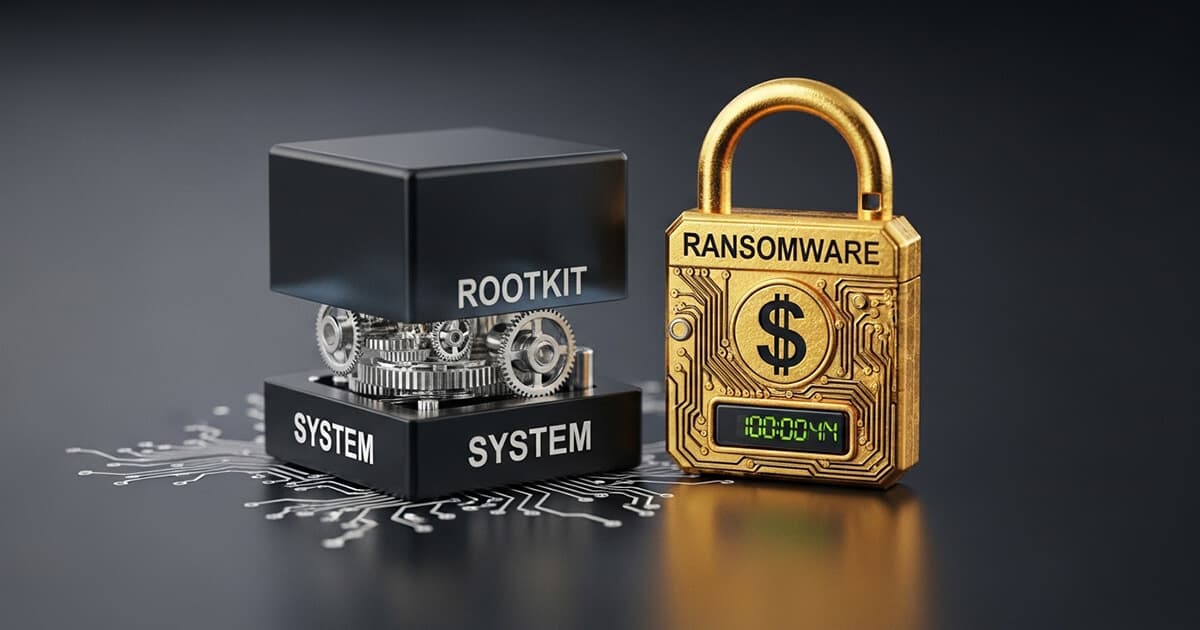
- Ransomware: Encrypts your files, making them inaccessible, and demands a ransom payment (usually in cryptocurrency) for the decryption key. A prime example is the 2021 Colonial Pipeline attack, which disrupted fuel supplies across the U.S. East Coast. The encryption is only the last step of a much longer intrusion, and we walk through the whole sequence in the anatomy of a ransomware attack.
- Scareware: A form of social engineering that uses fake alerts, such as "Your computer is infected!", to trick you into buying useless or malicious software.
The Spies: Spyware, Keyloggers, & Adware
This malware is designed to secretly monitor you.
- Spyware: Covertly gathers information about your activities, from browsing habits to personal data.
- Keyloggers: A specific type of spyware that records every keystroke you make, perfect for stealing passwords and other sensitive information.
- Adware: Tracks your browsing to display targeted (and often unwanted) advertisements. While sometimes borderline legitimate, it can be a privacy risk and a drain on system performance.
The Puppeteers: Backdoors, Rootkits, & Botnets
This malware's goal is to take complete control of your system.
- Backdoor: Creates a hidden entry point that bypasses normal authentication, allowing an attacker to access your system later.
- Rootkit: A stealthy tool designed to gain administrative-level control ("root" access) while actively hiding its presence from you and your security software.
- Botnet: A network of infected computers (called "zombies" or "bots") controlled by a single attacker (the "bot-herder"). This army of bots can be used to launch large-scale attacks, send spam, or mine cryptocurrency.
The Saboteurs: Logic Bombs & Wipers
This malware is designed purely for destruction or disruption.
- Logic Bomb: A piece of malicious code that lies dormant until a specific condition is met, such as a certain date or the deletion of a user account. Once triggered, it executes its payload, which could be anything from deleting data to crashing a system.
- Wiper Malware: Even more destructive than ransomware, its sole purpose is to permanently erase or destroy data on the infected system, often with no chance of recovery.
The Resource Thieves: Cryptojacking & Bloatware
This malware uses your computer's resources for its own benefit.
- Cryptojacking: Secretly uses your computer's processing power (CPU/GPU) to mine for cryptocurrency, leading to slow performance and higher electricity bills.
- Bloatware: Unwanted software that comes pre-installed on new devices. While not always strictly malicious, it consumes disk space, memory, and can sometimes introduce security vulnerabilities.
The Next Generation: Advanced & Evasive Malware
As defenses get stronger, attackers create more sophisticated malware to evade them.
- Fileless & In-Memory Malware: This malware avoids being written to the disk. It lives only in the system's RAM, making it extremely difficult for traditional signature-based antivirus to detect.
- Polymorphic & Metamorphic Malware: These are shapeshifters. Polymorphic malware changes its code signature with each infection to avoid detection, while metamorphic malware completely rewrites itself, making it even harder to track.
- Advanced Persistent Threats (APTs): This refers not just to the malware but to the attacker—typically a well-funded, highly skilled group (often nation-state actors). APTs use custom, sophisticated malware to gain long-term, persistent access to a target's network. They often use zero-day exploits (vulnerabilities unknown to the software vendor) and living-off-the-land techniques (using a system's own legitimate tools against it) to remain undetected for months or even years. The SolarWinds breach, which gave attackers access to thousands of government and corporate networks, is a prime example of an APT attack.
Expanding Battlefields and Business Models
The threat landscape is also expanding to new devices and business models:
- Mobile & IoT Malware: Malware is no longer just a PC problem. Threats now specifically target mobile phones, tablets, and Internet of Things (IoT) devices like smart cameras and routers.
- Malware-as-a-Service (MaaS): The dark web has democratized cybercrime. Aspiring criminals can now rent or buy malware kits, complete with support, allowing them to launch sophisticated attacks with little technical skill.
Quick Reference: The Malware Classification Matrix
To help you visualize the diverse world of malware, we've created a comprehensive Malware Classification Cheat Sheet. It's the perfect companion to help you quickly identify and understand the nature of different digital threats.
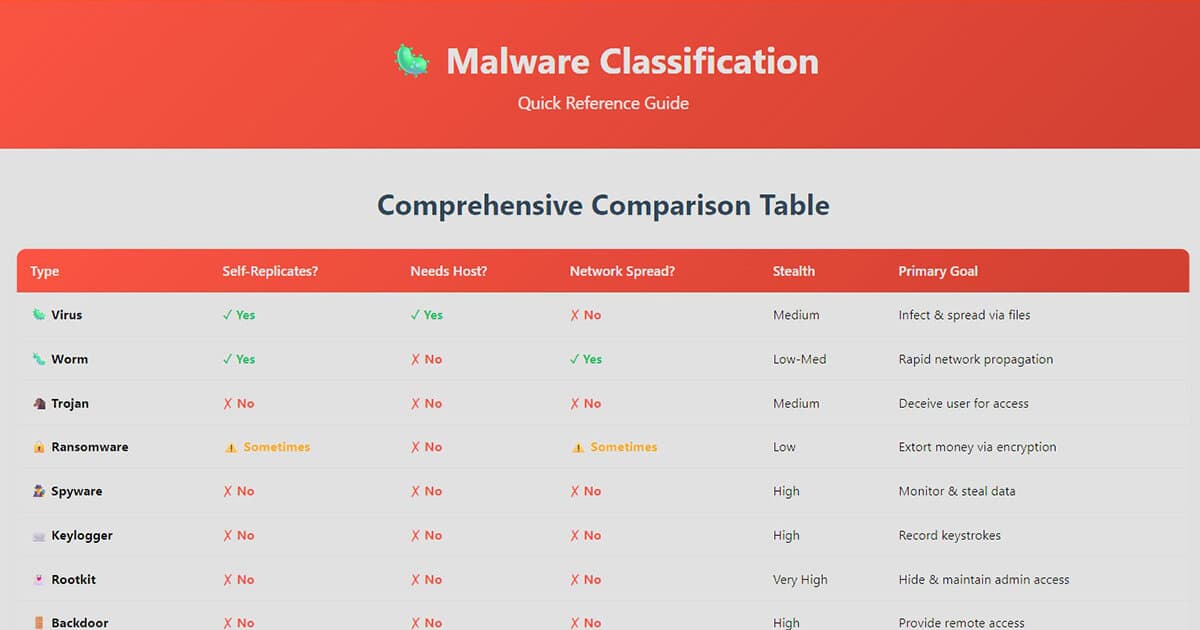
Click on the image to view the full, interactive cheat sheet.
How to Protect Yourself: Building Your Digital Defenses
While the threats are diverse, a layered defense can protect you from the vast majority of malware.
- Essential Habits: Keep your operating system, browser, and applications updated to patch vulnerabilities. Be suspicious of unsolicited emails and links—think before you click!
- Use Security Tools: A reputable antivirus/antimalware solution is your frontline defense. A firewall can block unauthorized network connections, and a good ad-blocker can prevent malicious ads.
- Strong Passwords & MFA: Use unique, complex passwords for every account and enable Multi-Factor Authentication (MFA) wherever possible.
- Back Up Your Data: Regularly back up your important files to an external drive or cloud service. This is your best defense against ransomware.
Detection & Response: What to Do If You're Infected
Even with the best defenses, an infection can still happen. Here’s what to look for and what to do.
Warning Signs of Infection:
- Sudden and unexplained slowness or freezing.
- Frequent crashes or error messages.
- Unwanted pop-ups, toolbars, or browser redirects.
- Antivirus software being disabled on its own.
- A sudden increase in network activity or data usage.
Immediate Steps to Take:
- Disconnect from the Internet: This can prevent the malware from spreading or communicating with its command server.
- Boot into Safe Mode: This starts your computer with only essential services, which can prevent some malware from running.
- Run a Full Malware Scan: Use your antivirus software to perform a comprehensive scan and remove any threats it finds.
- Change Your Passwords: After cleaning the system, change all your critical passwords (email, banking, social media) from a different, trusted device.
If you are unable to remove the malware or if it involves ransomware, it's often best to seek professional help from a reputable IT service or cybersecurity expert.
Conclusion: Knowledge is Your Best Defense
The world of malware is vast and constantly evolving. However, by understanding how different threats operate—whether they are hitchhikers, deceivers, or spies—you can demystify the digital battlefield. This knowledge, combined with good security habits, is the most powerful defense you have. Stay informed, stay vigilant, and stay safe.